

Problem Statement:
How to track Text component using ACDL? How to track the links inside a text component using ACDL? Can I add the custom ID to the links?
Requirement:
Track all the hyperlinks inside the text component using ACDL and add also provide a custom ID to track the links.
Introduction:
The goal of the Adobe Client Data Layer is to reduce the effort to instrument websites by providing a standardized method to expose and access any kind of data for any script.
The Adobe Client Data Layer is platform agnostic, but is fully integrated into the Core Components for use with AEM.
You can also learn more about the OOTB core text component here and also you can learn more about the Adobe Client data layer here. You can also learn about how to create tracking for the custom component here.
In the following example, we are going to use component delegation to delegate the OOTB text component and enable custom tracking on the text component, you can learn more about component delegation here.
Add a JSOUP and Lombok dependency to your project.
<dependency>
	<groupId>org.jsoup</groupId>
	<artifactId>jsoup</artifactId>
	<version>1.13.1</version>
	<scope>provided</scope>
</dependency>
<dependency>
	<groupId>org.projectlombok</groupId>
	<artifactId>lombok</artifactId>
	<version>1.18.20</version>
	<scope>provided</scope>
</dependency>
Add a service called JSONConverter as shown below:
package com.adobe.aem.guides.wknd.core.service;

import com.fasterxml.jackson.databind.util.JSONPObject;

/**
 * Interface to deal with Json.
 */
public interface JSONConverter {

    /**
     * Convert Json Object to given object
     *
     * @param jsonpObject
     * @param clazz       type of class
     * @return @{@link Object}
     */
    @SuppressWarnings("rawtypes")
    Object convertToObject(JSONPObject jsonpObject, Class clazz);

    /**
     * Convert Json Object to given object
     *
     * @param jsonString
     * @param clazz      type of class
     * @return @{@link Object}
     */
    @SuppressWarnings("rawtypes")
    Object convertToObject(String jsonString, Class clazz);

    /**
     * Convert Json Object to given object
     *
     * @param object
     * @return @{@link String}
     */
    String convertToJsonString(Object object);

    /**
     * Convert Json Object to given object
     *
     * @param object
     * @return @{@link JSONPObject}
     */
    JSONPObject convertToJSONPObject(Object object);
}
Add a Service implementation JSONConverterImpl to convert object to JSON String using Object Mapper API
package com.adobe.aem.guides.wknd.core.service.impl;

import com.adobe.aem.guides.wknd.core.service.JSONConverter;
import com.fasterxml.jackson.annotation.JsonInclude.Include;
import com.fasterxml.jackson.databind.ObjectMapper;
import com.fasterxml.jackson.databind.util.JSONPObject;
import org.osgi.service.component.annotations.Component;
import org.slf4j.Logger;
import org.slf4j.LoggerFactory;
import java.io.IOException;

@Component(service = JSONConverter.class)
public class JSONConverterImpl implements JSONConverter {

    private static final Logger LOG = LoggerFactory.getLogger(JSONConverterImpl.class);

    @SuppressWarnings("unchecked")
    @Override
    public Object convertToObject(JSONPObject jsonpObject, @SuppressWarnings("rawtypes") Class clazz) {
        ObjectMapper mapper = new ObjectMapper();
        try {
            return mapper.readValue(jsonpObject.toString(), clazz);
        } catch (IOException e) {
            LOG.debug("IOException while converting JSON to {} class {}", clazz.getName(), e.getMessage());
        }
        return null;
    }

    @SuppressWarnings("unchecked")
    @Override
    public Object convertToObject(String jsonString, @SuppressWarnings("rawtypes") Class clazz) {
        ObjectMapper mapper = new ObjectMapper();
        try {
            return mapper.readValue(jsonString, clazz);
        } catch (IOException e) {
            LOG.debug("IOException while converting JSON to {} class {}", clazz.getName(), e.getMessage());
        }
        return null;
    }

    @Override
    public String convertToJsonString(Object object) {
        ObjectMapper mapper = new ObjectMapper();
        try {
            return mapper.setSerializationInclusion(Include.NON_EMPTY).writerWithDefaultPrettyPrinter().writeValueAsString(object);
        } catch (IOException e) {
            LOG.debug("IOException while converting object {} to Json String {}", object.getClass().getName(),
                    e.getMessage());
        }
        return null;
    }

    @Override
    public JSONPObject convertToJSONPObject(Object object) {
        ObjectMapper mapper = new ObjectMapper();
        try {
            String jsonString = mapper.writeValueAsString(object);
            return mapper.readValue(jsonString, JSONPObject.class);
        } catch (IOException e) {
            LOG.debug("IOException while converting object {} to Json String {}", object.getClass().getName(),
                    e.getMessage());
        }
        return null;
    }
}
Create TexModelImpl Sling model class which will be extending OOTB Text component and add delegate to override default getText() method.
Create a custom method called addLinkTracking and JSOUP API to read the text and get all the hyperlinks, once you have all the hyperlinks you can add custom tracking code by calling getLinkData method and this method should take care of custom ID tracking or generating default ID for all the links.
package com.adobe.aem.guides.wknd.core.models.impl;

import com.adobe.aem.guides.wknd.core.service.JSONConverter;
import com.adobe.cq.export.json.ComponentExporter;
import com.adobe.cq.export.json.ExporterConstants;
import com.adobe.cq.wcm.core.components.models.Text;
import com.adobe.cq.wcm.core.components.util.ComponentUtils;
import com.day.cq.wcm.api.Page;
import com.day.cq.wcm.api.components.ComponentContext;
import lombok.experimental.Delegate;
import org.apache.commons.lang3.StringUtils;
import org.apache.sling.api.SlingHttpServletRequest;
import org.apache.sling.api.resource.Resource;
import org.apache.sling.models.annotations.*;
import org.apache.sling.models.annotations.injectorspecific.*;
import org.apache.sling.models.annotations.via.ResourceSuperType;
import org.jsoup.Jsoup;
import org.jsoup.nodes.Document;
import org.jsoup.nodes.Element;
import org.jsoup.select.Elements;
import java.util.HashMap;
import java.util.Map;
import java.util.concurrent.atomic.AtomicInteger;

@Model(adaptables = SlingHttpServletRequest.class, adapters = {Text.class, ComponentExporter.class}, resourceType = TextModelImpl.RESOURCE_TYPE, defaultInjectionStrategy = DefaultInjectionStrategy.OPTIONAL)
@Exporter(name = ExporterConstants.SLING_MODEL_EXPORTER_NAME, extensions = ExporterConstants.SLING_MODEL_EXTENSION)
public class TextModelImpl implements Text {

    public static final String RESOURCE_TYPE = "wknd/components/text";

    @SlingObject
    protected Resource resource;

    @ScriptVariable(injectionStrategy = InjectionStrategy.OPTIONAL)
    private ComponentContext componentContext;

    @ScriptVariable(injectionStrategy = InjectionStrategy.OPTIONAL)
    private Page currentPage;

    @ValueMapValue(injectionStrategy = InjectionStrategy.OPTIONAL)
    @Default(values=StringUtils.EMPTY)
    protected String id;

    @OSGiService
    private JSONConverter jsonConverter;

    @Self
    @Via(type = ResourceSuperType.class)
    @Delegate(excludes = DelegationExclusion.class)
    private Text text;

    @Override
    public String getText() {
        return addLinkTracking(text.getText());
    }

    private String addLinkTracking(String text) {
        if(StringUtils.isNotEmpty(text) && (ComponentUtils.isDataLayerEnabled(resource) || resource.getPath().contains("/content/experience-fragments"))) {
            Document doc = Jsoup.parse(text);
            Elements anchors = doc.select("a");
            AtomicInteger counter = new AtomicInteger(1);
            anchors.stream().forEach(anch -> {
                anch.attr("data-cmp-clickable", true);
                anch.attr("data-cmp-data-layer", getLinkData(anch, counter.getAndIncrement()));
            });
            return doc.body().html();
        }
        return text;
    }

    public String getLinkData(Element anchor, int count) {
        //Create a map of properties we want to expose
        Map<String, Object> textLinkProperties = new HashMap<>();
        textLinkProperties.put("@type", resource.getResourceType()+"/link");
        textLinkProperties.put("dc:title", anchor.text());
        textLinkProperties.put("xdm:linkURL", anchor.attr("href"));

        //Use AEM Core Component utils to get a unique identifier for the Byline component (in case multiple are on the page)
        String textLinkID;
        if(StringUtils.isEmpty(id)) {
            textLinkID = ComponentUtils.getId(resource, this.currentPage, this.componentContext) + ComponentUtils.ID_SEPARATOR + ComponentUtils.generateId("link", resource.getPath()+anchor.text());
        } else {
            textLinkID = ComponentUtils.getId(resource, this.currentPage, this.componentContext) + ComponentUtils.ID_SEPARATOR + "link-" + count;
        }
        // Return the bylineProperties as a JSON String with a key of the bylineResource's ID
        return String.format("{\"%s\":%s}",
                textLinkID,
                jsonConverter.convertToJsonString(textLinkProperties));
    }

    private interface DelegationExclusion {
        String getText();
    }
}
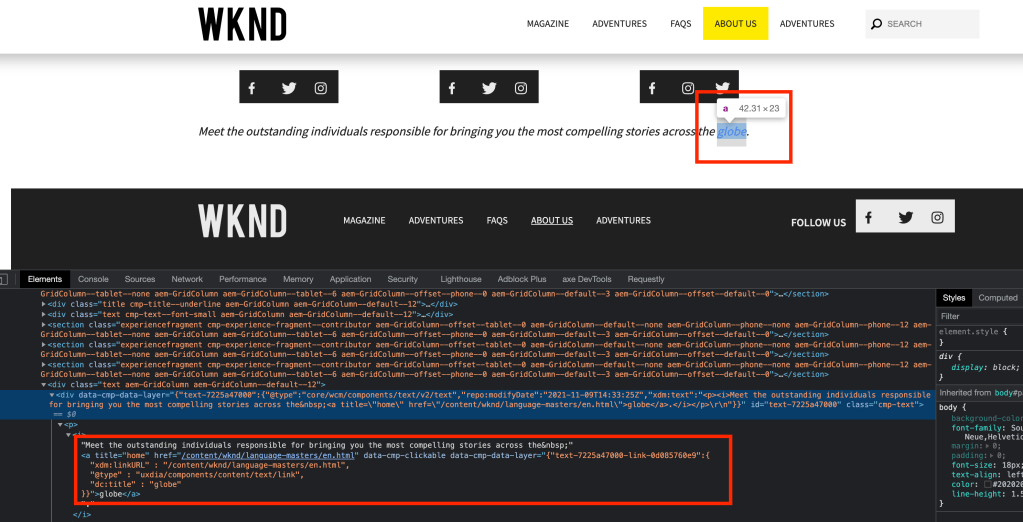
Check the default tracking for hyperlinks inside the text component
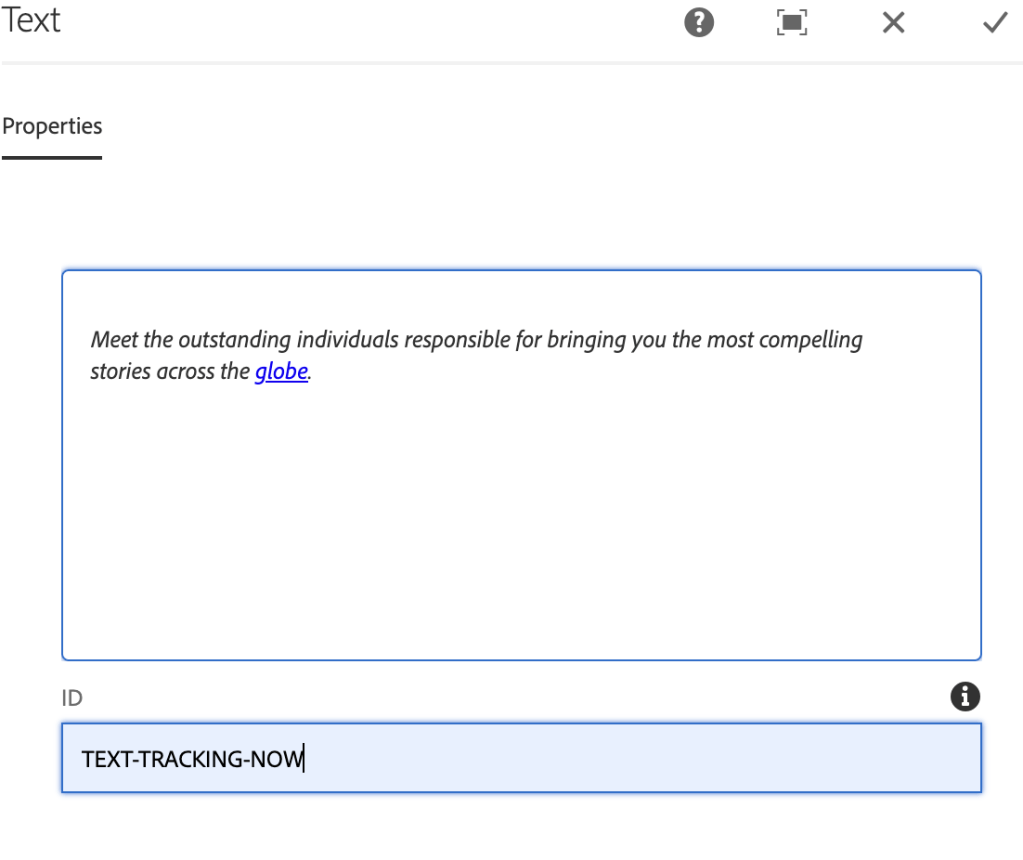
Add a custom ID to the component as shown below:
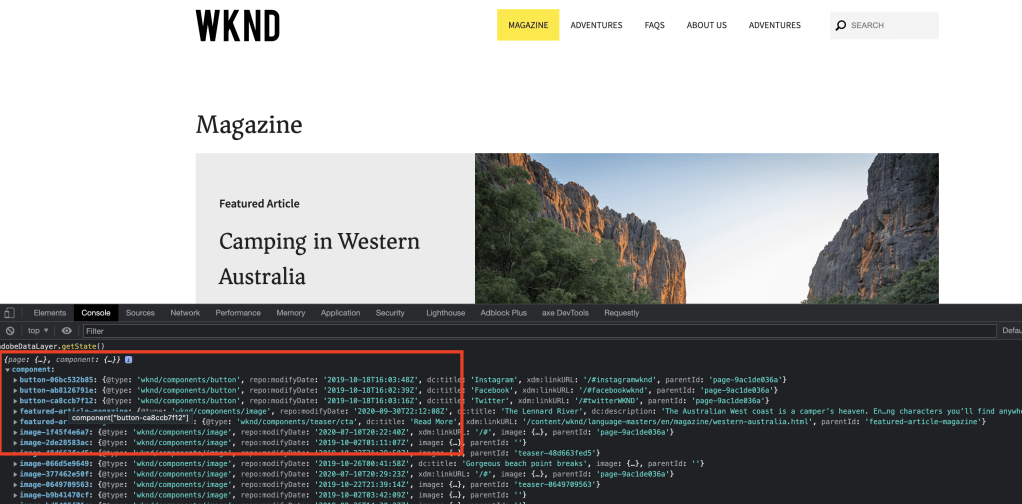
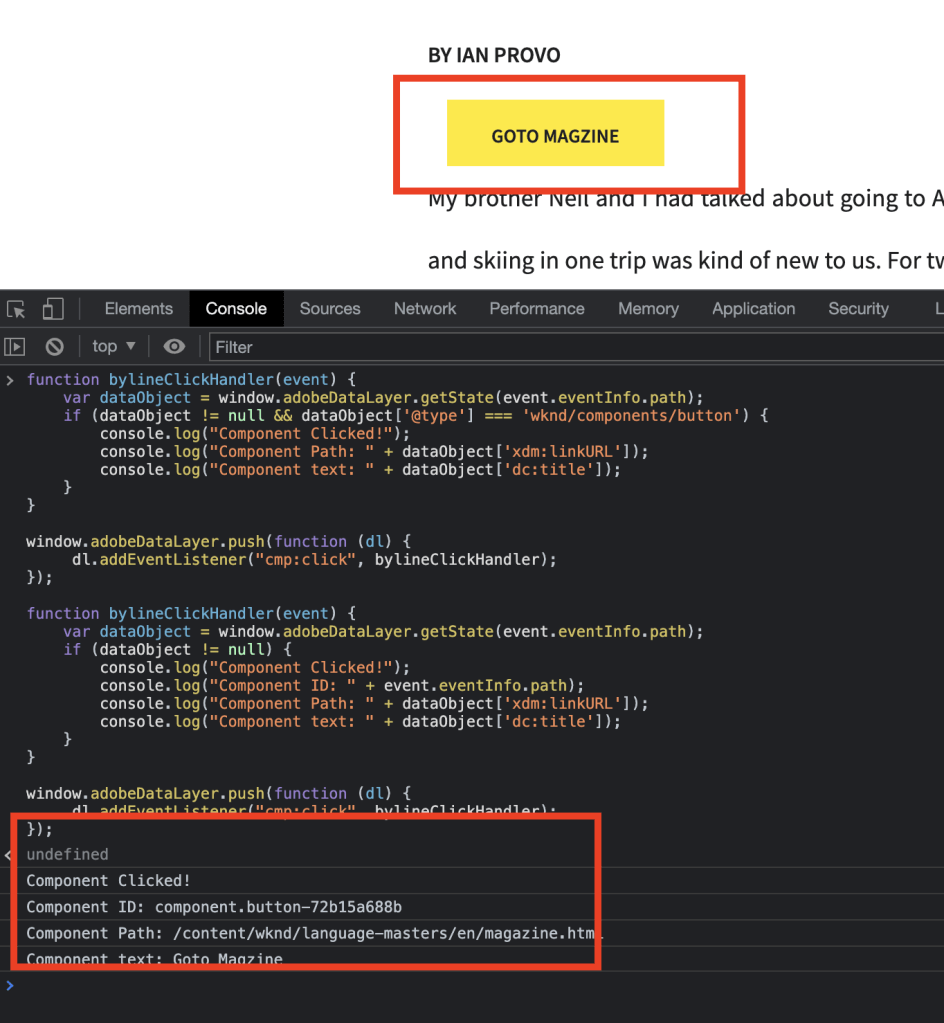
In the below screenshot, we can see a custom tracking ID added to the link and each link will be called has 1, 2, 3 …


You can also learn more about
AEM ACDL (Adobe Client Data Layer) tracking – Core Component



 AEM best practices and development guide