In traditional content creation processes, authors may encounter challenges and obstacles that prevent them from creating high-quality content in a timely and efficient manner. These challenges can range from writer’s block to technical difficulties with the content management system. To address these challenges, there is a need for a solution that can provide real-time, contextual assistance to authors during the content creation process.
How can ChatGPT be effectively integrated with AEM to provide real-time, contextual assistance to content authors, and how can the adoption of this solution be encouraged among users to maximize its benefits?
Introduction:
ChatGPT is a large language model trained by OpenAI based on the GPT (Generative Pre-trained Transformer) architecture. I was designed to generate human-like responses to a wide range of natural language inputs. Essentially, I’m an AI chatbot that can converse with you on a variety of topics, from general knowledge questions to personal advice.
To address challenges, there is a need for a solution that can provide real-time, contextual assistance to authors during the content creation process. One potential solution is to integrate ChatGPT, an AI-powered chatbot, with Adobe Experience Manager (AEM), a leading content management system. By leveraging ChatGPT’s natural language processing capabilities, authors can receive instant and personalized guidance, support, and feedback throughout the content creation process, leading to higher-quality content creation and greater efficiency. However, the effectiveness of this approach will depend on how well the ChatGPT is trained, integrated, and adopted by the users.
How can I use ChatGPT for the teaser component to summarize a large content like title and description and link it article page?
You can get ChatGPT API key by visiting https://platform.openai.com/overview and going to your profile to create a new API key for your application
GPT Api key
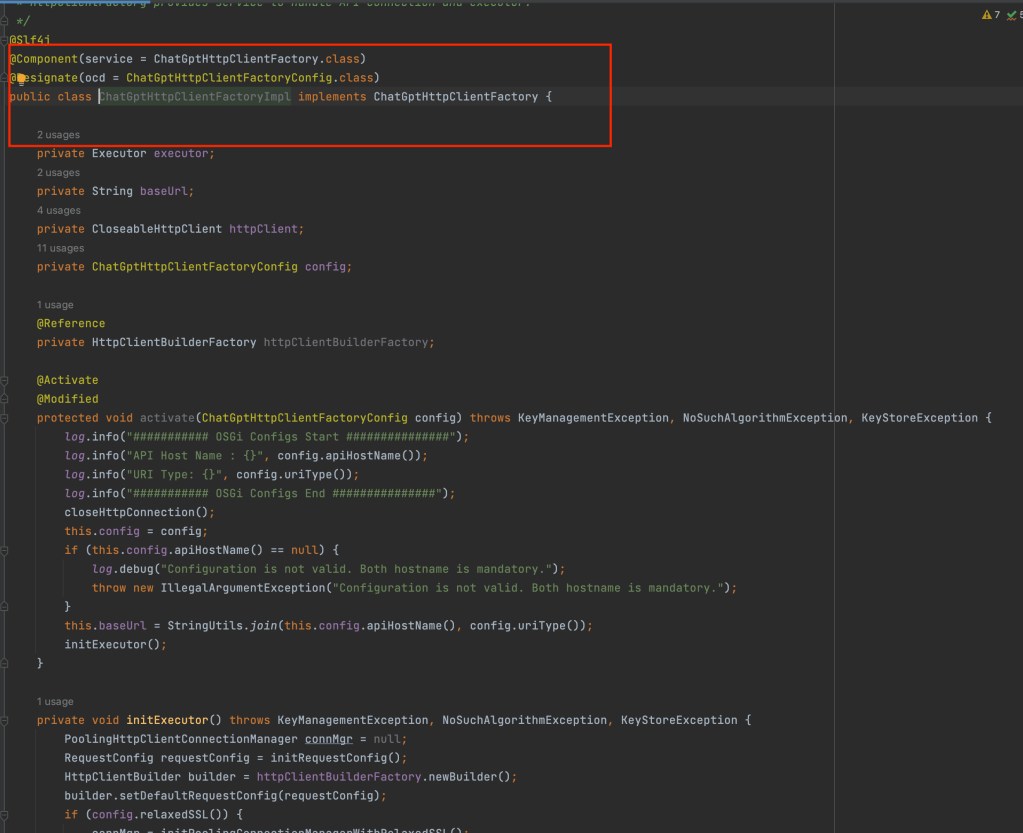
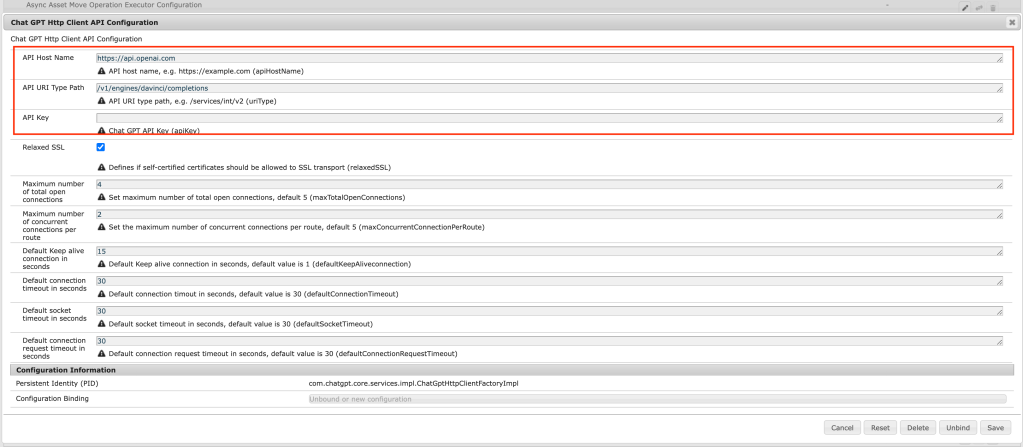
In order to use ChatGPT with AEM please create HttpClientFactory and OSGI config to configure endpoints and API key.
Client FactoryOSGi config for Chat GPT endpoint
Create an API invoker Service to prepare the request as shown below:
API invoker class
Create a Summary bean for preparing JSON body text:
Bean class
Create Teaser Servlet as shown below to read page title and description and generate Chat GPT summary by calling API invoker as shown below:
Servlet class
Create a gptTeaser component and override the editor JS to make a request to Teaser Servlet
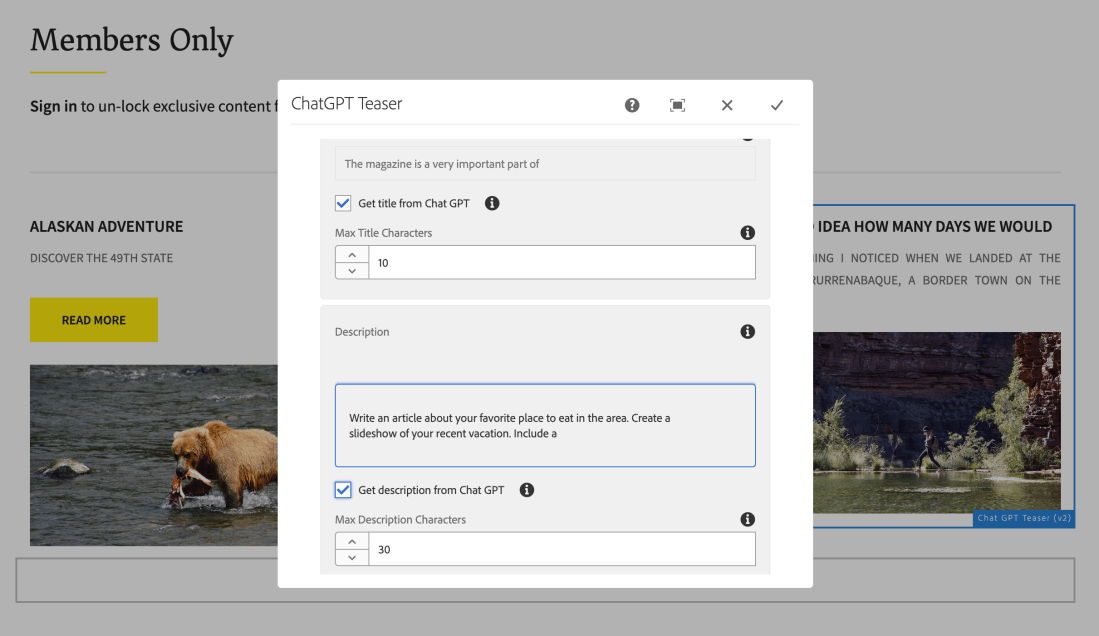
Teaser dialog editor
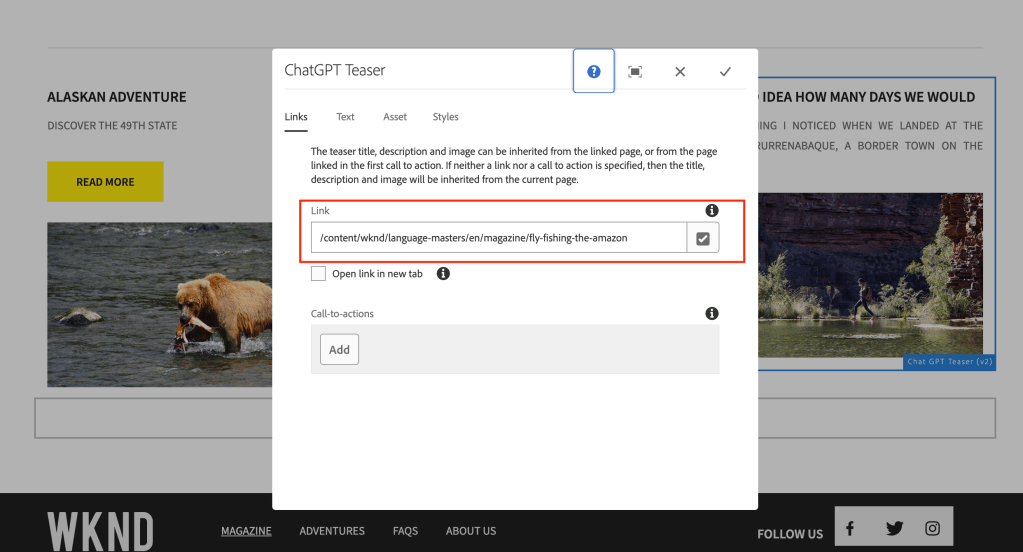
Open the GPT Teaser component and link to the page once you visit the Text tab you will be seeing a checkbox to get the title and description from Chat GPT and maximum tokens for summarization.
Teaser Link pageTeaser text tab
You can also uncheck the checkbox to edit the summarized content.
Linked page content with long title and description:
How to improve the authoring experience in AEM using SDI?
Can I optimize page load time?
Can I cache all experience fragments on the pages in AEM?
Introduction:
The purpose of the module presented here is to replace dynamically generated components (eg. current time or foreign exchange rates) with server-side include tags (eg. SSI or ESI). Therefore, the dispatcher is able to cache the whole page but dynamic components are generated and included with every request. Components to include are chosen in filter configuration using resourceType attribute.
When the filter intercepts a request for a component with a given resourceType, it’ll return a server-side include tag (eg. <!–#include virtual=”/path/to/resource” –> for the Apache server). However, the path is extended by a new selector (XF by default). This is required because the filter has to know when to return actual content.
Before going through this article please visit my other blog on Cache Experience Fragments in AEM Using Sling Dynamic Include all the simple customization to cache call the experience fragments on the page to improve page load time on published pages.
Flow diagram on the approach:
As part of this implementation, we are trying to cache all the experience fragments at different paths like /mnt/var/www/author/content/experience-fragment/{site-structure} as shown below:
Flow diagram author SDI approach
If SDI is enabled on the author:
On the local author instance all the experience fragments might disappear if the author instance is accessed on the local dispatcher or any lower environments as shown below:
wknd header is missing
After accessing the page on the dispatcher attached to the author the experience fragment might be broken and it would allow the components on the experience fragment can be authored directly from the page (kind of new feature) but it would break if any permissions of authoring on header/footer etc.
wknd header is editable on the page
Override the wrapper component:
If it is a Layout container, then please override the responsivegrid.html by copying responsivegrid.html from wcm/foundation/components/responsivegrid the as shown below:
If it is a Core Container component please override the responsivegrid.html and allowedcomponents.html by copying responsivegrid.html and allowedcomponents.html from core/wcm/components/container and the as shown below:
With the above fix, the experience fragment component won’t break and won’t be authorable on the page and works as expected.
wknd page working
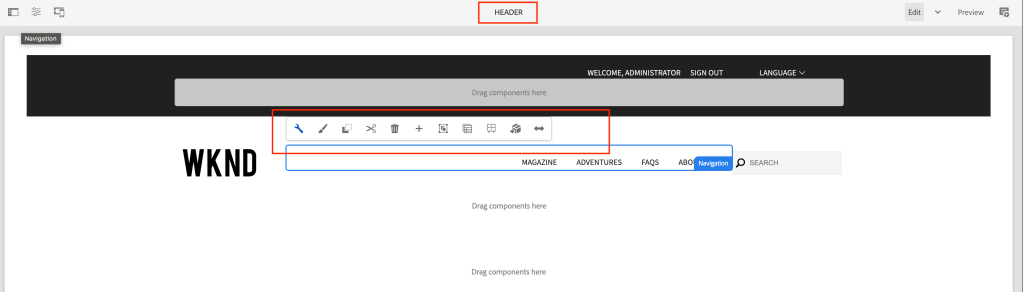
What about the experience fragment page? It’s not authorable, because of the wcmmode=’disabled’ parameter in sightly
unable to edit component
To fix the above issue Create a sling model as shown below:
This model class replaces the wrapper component with Synthetic Resource pointing to the layout container or core container component, which will avoid SDI picking based on the resourcetype
Override body.html by copying the body.html from cq/experience-fragments/components/xfpage of the experience fragment page component and add the following code:
Finally, with the above fix, the experience fragment page is editable, and SDI include statement will disappear on the experience fragment page.
Finally component is editable
To clear the cache you need to add /author/content/{experience-fragment} path to acs commons dispatcher cache clear path
Advantages of caching Experience fragment at common or shared location:
Increases initial page load – response time based on the number of XF on the page
Improves overall page load time
Better debugging SDI functionality – whenever the XF page is updated and published it removes from the cache and on a new page request a new cache is created and used on subsequent requests







 AEM best practices and development guide